Reverse Trade
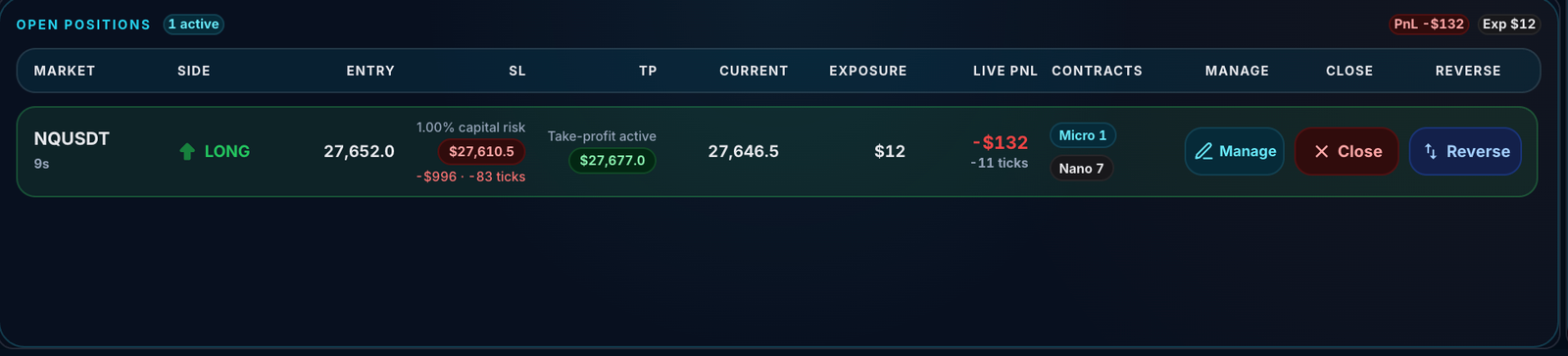
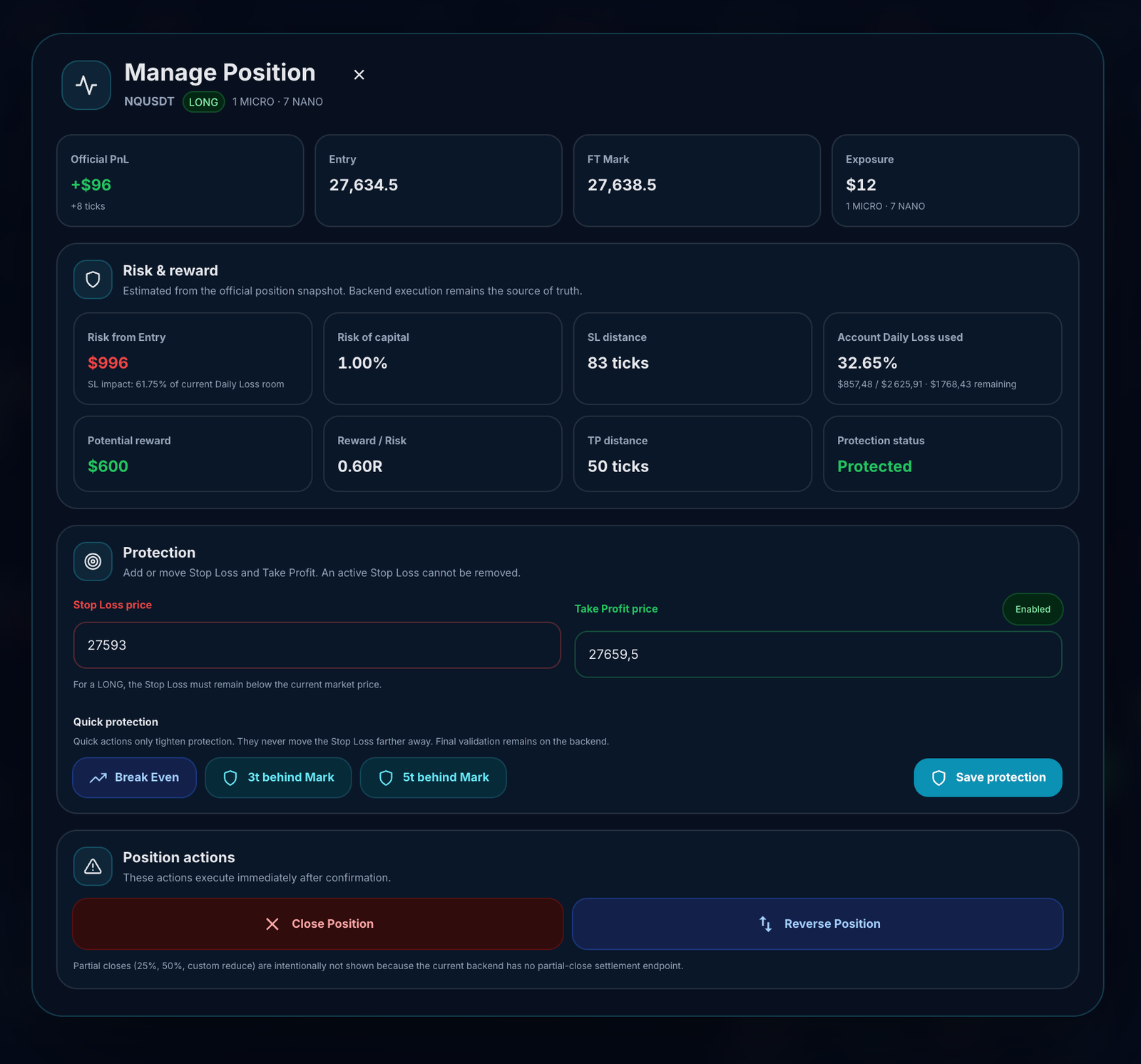
Reverse Trade lets you switch an open position into the opposite direction on the same market. It closes your current position, then attempts to open a new inverse position using the same contracts.
Reverse Trade is a precision tool, not a panic button. It is designed for situations where your market view changes and you want to flip direction cleanly instead of manually closing and opening a new trade.
Reverse Trade in one sentence
Reverse Trade closes your current position and opens a new position on the same market in the opposite direction, using the same NANO, MICRO, and MINI contracts where allowed.
You have an open BTCUSDT Long.
You click Reverse.
FairTicks closes the Long, then attempts to open a BTCUSDT Short with the same contracts.
How Reverse Trade works
- You click Reverse on an open position.
- FairTicks checks whether the account and position can use Reverse Trade.
- FairTicks checks market availability and price freshness.
- FairTicks checks whether the position has been open long enough to be reversed.
- If the account requires Stop Loss, FairTicks checks that the original position has a valid Stop Loss percentage.
- The current position is closed.
- FairTicks attempts to open a new position in the opposite direction using the same contracts.
- If successful, the new position becomes the active open position.
- A reverse cooldown can start depending on the account model.
Reverse Trade is not a way to bypass account rules. The new inverse position must still pass the normal opening rules, including account status, market availability, contracts, exposure, Stop Loss, and risk checks.
Reverse Trade is not the same as hedging
FairTicks does not allow holding Long and Short on the same market at the same time. Reverse Trade does not create a hedge. It changes direction by closing the current position and attempting to open the opposite one.
| Action | Meaning | Allowed? |
|---|---|---|
| Hold BTCUSDT Long and BTCUSDT Short together | Same-market hedging | No |
| Close BTCUSDT Long, then open BTCUSDT Short | Direction change | Yes, if all rules pass |
| Use Reverse Trade from BTCUSDT Long to BTCUSDT Short | One-click direction flip | Yes, if Reverse Trade is available and all checks pass |
What stays the same after Reverse Trade?
Reverse Trade attempts to keep the position structure simple by using the same market and same contracts.
| Area | Reverse behavior |
|---|---|
| Market | The new position uses the same market as the original position. |
| Contracts | The new position uses the same NANO, MICRO, and MINI contract quantities where allowed. |
| Direction | The direction changes from Long to Short, or from Short to Long. |
| Stop Loss percentage | If the original position had a valid Stop Loss percentage, FairTicks can reuse that percentage for the new inverse position. |
What changes after Reverse Trade?
A reversed position is a new position. It has its own entry, direction, open time, PnL, and lifecycle.
- The original position is closed and receives its final realized result.
- The new inverse position opens with a new entry price.
- The new position starts with its own open PnL.
- Opening and closing commissions can apply according to the normal commission rules.
- Risk rules continue to apply after the reverse.
Reverse Trade should be understood as two position events: closing the current position, then opening a new position in the opposite direction.
Reverse Trade and commissions
Reverse Trade is not commission-free. Because the current position is closed and a new inverse position is opened, normal close and open costs can apply.
Current position closing exposure: $50
Closing commission: 1% × $50 = $0.50
New inverse position opening exposure: $50
Opening commission: 1% × $50 = $0.50
Total commission impact from the reverse action: $1.00
Reversing repeatedly can increase commission costs and can reduce your account balance even if your market direction changes quickly.
Reverse Trade cooldowns
FairTicks can apply a cooldown after Reverse Trade to reduce emotional flip-flopping. The default cooldown depends on the account model, but account-specific rules shown in the platform are the source of truth.
| Account model | Default reverse cooldown | Meaning |
|---|---|---|
| Rapid | 0 seconds | Rapid is designed for maximum speed and freedom. |
| Classic | 5 seconds | Classic uses a light cooldown to reduce nervous repeated reversing. |
| Discipline / Precision | 10 seconds | Discipline / Precision uses a stronger pause to support controlled behavior. |
Some account configurations can use a different reverse cooldown. Always follow the cooldown shown by the platform for your specific account.
Minimum hold time before reversing
FairTicks can block Reverse Trade if the position was opened too recently. This protects the platform and the account from instant flip-flop behavior.
A position must be open for a short minimum time before it can be reversed. If you try to reverse immediately after opening, the action can be rejected.
You open a BTCUSDT Long position.
You instantly click Reverse.
The platform rejects the action because the position was opened too recently.
When Reverse Trade is available
Reverse Trade can be available when all required conditions are satisfied.
- The position is open.
- The account status allows trading actions.
- Reverse Trade is enabled for the account type or account rules.
- The market is active.
- Market data is available and fresh enough.
- The position has been open long enough to be reversed.
- The account is not blocked by cooldown or protection status.
- The new inverse position can pass the normal opening checks.
A Training account with status PASSED may still be allowed to trade in some cases, for example to continue toward additional targets before Live generation.
If the account status and rules allow trading, Reverse Trade can also be allowed.
When Reverse Trade can be rejected
Reverse Trade can be rejected before any new inverse position is opened. Common reasons include:
| Reason | What it means | What to check |
|---|---|---|
| Position is not open | You can reverse only an open position. | Check position status. |
| Account not tradable | The account status does not allow reverse actions. | Check if the account is BREACHED, EXPIRED, FROZEN, CLOSED, COOLDOWN, or otherwise blocked. |
| Reverse Trade disabled | The account rules do not allow Reverse Trade. | Check the account model and trading actions available in the UI. |
| Reverse cooldown active | You reversed recently and must wait before reversing again. | Wait for the cooldown timer to finish. |
| Market inactive | The market is not currently active for trading. | Choose an active market or wait for availability. |
| Market data stale | Price data is temporarily unavailable or not fresh enough. | Wait and retry when market data is available. |
| Position opened too recently | The anti flip-flop rule blocks instant reversing. | Wait briefly before retrying. |
| Stop Loss required | The account requires Stop Loss, but the original position does not have a valid Stop Loss percentage. | Review the position and account risk rules. |
| Stop Loss too wide | The original Stop Loss percentage is above the allowed maximum. | Review Stop Loss and R-01 rules. |
| New inverse position blocked | The new opposite position does not pass normal opening checks. | Check contracts, exposure, balance, Stop Loss, account status, and risk preview. |
What happens if the inverse position cannot open?
FairTicks performs checks before and during the Reverse Trade process. However, because market data, account state, and risk checks can change quickly, the inverse position can still fail to open after the current position has been closed.
Reverse Trade is designed to flip your position cleanly, but it should not be understood as a guaranteed “old position stays open if anything fails” action. If the current position closes but the new inverse position cannot open, you may be left flat and should review the message shown by the platform.
You reverse a BTCUSDT Long.
The Long closes successfully.
The new Short fails because the final open check rejects the inverse position.
Result: the original Long is closed, no new Short is opened, and the platform shows a rejection message.
If this happens and the result is unclear, review your position history first. Then contact support with your account number, market, original position, and the error message shown.
Worked example — successful reverse
Market: BTCUSDT
Current position: Long
Contracts: 5 NANO + 2 MICRO
Tick value: 5 × $1 + 2 × $5 = $15 / tick
Account model: Classic
Default reverse cooldown: 5 seconds
You click Reverse.
FairTicks checks account status, market data, cooldown, minimum hold time, Stop Loss rules, and opening rules for the new Short.
The Long closes and a Short opens with the same contracts.
The 5-second reverse cooldown starts.
Reverse vs manual close + open
You can also close a position manually and then open a new position in the opposite direction. Reverse Trade exists to make that workflow faster and more structured.
| Method | How it works | What to remember |
|---|---|---|
| Reverse Trade | Attempts to close the current position and open the opposite direction using the same contracts. | Faster, but still subject to all account and risk rules. |
| Manual close + open | You manually close the current position, then manually open a new one. | Slower, but gives you more time to review contract size, Stop Loss, and risk before re-entering. |
Reverse Trade and Stop Loss
If your account requires Stop Loss, Reverse Trade checks the Stop Loss structure before attempting to reverse. If the original position does not have a valid Stop Loss percentage, Reverse Trade can be rejected.
If the original position has a valid Stop Loss percentage, FairTicks can use the same percentage for the new inverse position. The actual Stop Loss price is recalculated from the new entry and direction.
Original position: BTCUSDT Long
Original Stop Loss: 1%
Reverse position: BTCUSDT Short
New Stop Loss percentage: 1%
The Stop Loss price is recalculated for the Short direction.
Reverse Trade and exposure
Reverse Trade uses the same contracts, but the new inverse position must still pass exposure checks. Closing the current position can release exposure, but the new position still needs to fit inside the account rules at the time it opens.
Reverse Trade does not bypass max exposure, contracts availability, balance, or risk checks. If the new inverse position cannot fit inside the account rules, it can be rejected.
Reverse Trade and Protection Pause
If your account is in COOLDOWN because Protection Pause is active, Reverse Trade can be blocked.
This is because Reverse Trade opens a new direction and creates new exposure.
During Protection Pause, closing existing positions can remain available, but opening new exposure is blocked.
If you want to reduce risk during Protection Pause, use a normal close if available. Reverse Trade is not the same as going flat.
Reverse Trade is not a flat exit
Reverse Trade keeps you in the market, but in the opposite direction. If your goal is to exit risk completely, use a regular close instead of Reverse Trade.
Close = leave the market and become flat.
Reverse = close current direction and enter the opposite direction.
Common mistakes to avoid
| Mistake | Why it creates problems | Better understanding |
|---|---|---|
| Using Reverse as a panic exit | Reverse opens a new position in the opposite direction. | Use Close if you want to be flat. |
| Thinking Reverse bypasses rules | The inverse position must still pass account and risk checks. | Review Stop Loss, exposure, contracts, and account status. |
| Ignoring cooldown | Classic and Discipline / Precision accounts can block repeated reverses. | Wait until the cooldown ends. |
| Reversing immediately after opening | The anti flip-flop rule can reject the reverse action. | Wait briefly before trying to reverse. |
| Forgetting commissions | Reverse involves a close and a new open, so costs can apply. | Consider commission impact before repeated reversing. |
| Assuming the old position always remains open if reverse fails | The close can succeed while the inverse open fails. | Review position history and the platform message after any failed reverse. |
Common questions
“What does Reverse Trade do?”
It closes your current open position and attempts to open a new position in the opposite direction on the same market using the same contracts.
“Is Reverse Trade the same as closing?”
No. Closing leaves you flat. Reverse Trade attempts to enter the opposite direction after closing the current position.
“Can I use Reverse Trade during Protection Pause?”
No in normal cases. Protection Pause blocks new exposure, and Reverse Trade would open a new opposite position. You may still be able to close existing positions.
“Can I reverse a breached or expired account?”
No. A breached or expired account cannot open new trading exposure, so Reverse Trade is blocked.
“Can I reverse a PASSED Training account?”
It can be allowed if the account still permits trading actions before Live generation. The dashboard action state is the source of truth.
“Why was my Reverse Trade rejected?”
Common reasons include cooldown, account status, stale market data, inactive market, position opened too recently, missing Stop Loss, Stop Loss too wide, or the new inverse position failing normal opening checks.
“Does Reverse Trade keep the same contracts?”
Yes. Reverse Trade attempts to open the inverse position using the same NANO, MICRO, and MINI contract quantities.
“Does Reverse Trade reuse my Stop Loss?”
If the original position has a valid Stop Loss percentage, the same percentage can be used for the new inverse position. The Stop Loss price is recalculated from the new entry and direction.
“Does Reverse Trade charge commission?”
Normal commission rules can apply because the current position is closed and a new inverse position is opened.
“What happens if my current position closes but the inverse does not open?”
You may be left flat. Review the error message, position history, and account state. If something looks unclear, contact support with the account number and position details.
“Can Reverse Trade cause a breach?”
The closing result, commissions, and new position risk can affect balance and equity. If live equity reaches a hard risk floor, the account can breach according to normal risk rules.
Summary
Reverse Trade is a fast way to switch direction on the same market. It closes your current position and attempts to open the opposite direction using the same contracts. It remains subject to account status, market data, cooldown, Stop Loss, exposure, contracts, commissions, and all normal risk rules.
The most important rule is simple: Reverse Trade flips direction; it does not remove risk.
Reverse Trade is a controlled direction flip — close the current position, then attempt to open the opposite one under the same account rules.
Reverse is a direction flip, not a safety exit.
Use Reverse Trade only when you intentionally want the opposite direction. If you want to remove market risk completely, close the position instead.
Reverse Trade failed or behaved unexpectedly?
Check your position history, account status, cooldown, market, contracts, and the error message shown in the platform. If it is still unclear, contact support with your account number and position details.